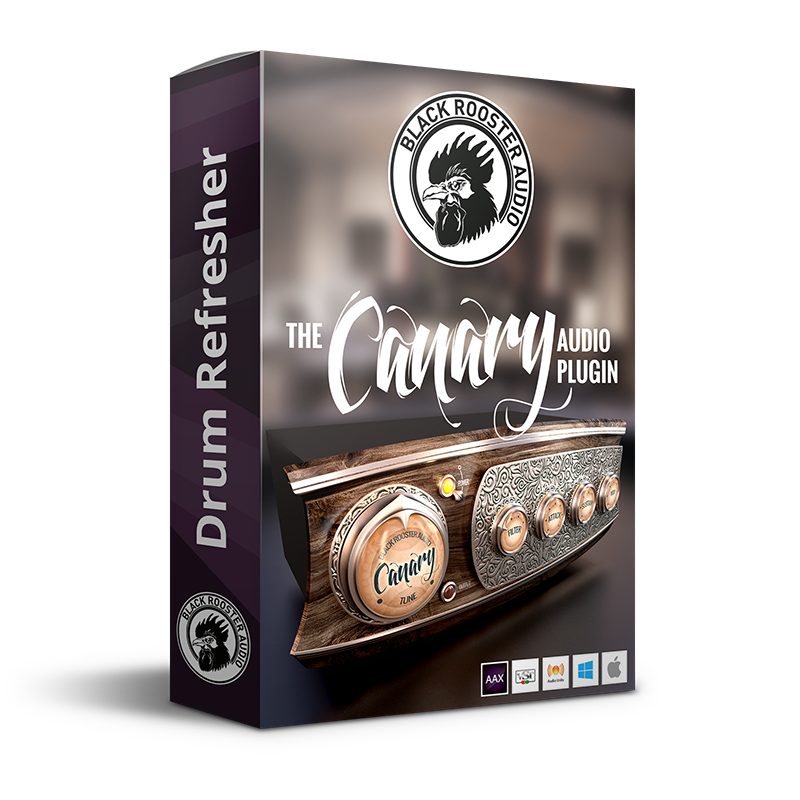
The Canary
Free Drum Transient & Sustain Shaper
About The Canary
Every engineer knows the disappointment: a kit that hit like a truck in the room, tracked to a close mic, and suddenly it sounds like someone drumming on a cardboard box. The Canary is a free drum transient and sustain shaper we built to put that lost life back. It doesn't just squash or gate — it synthesises the attack and sustain your recording never captured, then blends it back in. You get punch where the transient went missing and body where the shell rings out, on tap.
Why we built a drum shaper that adds instead of subtracts
Most dynamics tools work by taking things away — a transient designer clamps down, a gate chops the tail. The Canary goes the other direction. It analyses the input with a differential envelope detector and generates new attack and sustain components that are triggered by your own drum hits, so they follow the performance instead of fighting it. That means you can recover tone, attack and sustain that "may have been lost during the recording process, or which haven't been there in the first place," as the manual puts it. And because it runs with zero latency, there's no delay compensation to think about — handy when you're monitoring while tracking.
Punch, crack and weight: the four controls that do the work
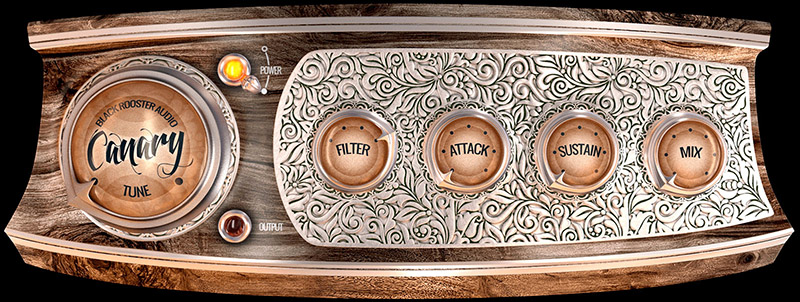
The Attack knob sets how much of the synthesised attack gets added. On a dull, close-mic'd snare or a tom that won't cut, this is the go-to move — it puts the crack and impact back so the drum steps through a dense mix. Depending on the Filter you pick, it reads as either more punch or a crisper top-end snap. The Sustain knob adds a synthetic sustain phase, and its Tune control lets you pitch that sustain to sit in the key of your song. The Filter itself steps through four voicings matched to different shell types — Low Pass, Band Pass, High Pass and Scoop — so the added components land where each drum needs them.
Using the Canary on kicks, snares, toms and loops
On a thin, gutless bass drum, the manual's own recipe is hard to beat: dial in a lower Tune, set the Filter to Low Pass, bring up Sustain, and blend to taste — instant weight and thump. On snares and toms, lean on Attack with a Band Pass or High Pass voicing to restore the crack. On drum loops and sampled kits, use it as an effect to reshape a stale one-shot into something with front and body. The Mix knob blends dry against processed — start near three o'clock, then pull it back to whatever fits the track. Because it costs nothing, the Canary pairs naturally with our other free tool, the guitar-amp head Cypress TT-15, if you're assembling a no-budget starter chain.
The Canary Features
Synthetic attack processor
The attack processor brings out the input signal's attack phase using a differential envelope detector, adding punch or crisp snap depending on the chosen filter. It's the go-to move on dull, close-mic'd snares and toms that won't cut through a mix. Right-click the knob to switch it off entirely.
Tunable sustain processor
The sustain processor generates a synthetic sustain phase triggered by your drum hits. The Tune control pitches that sustain so it sits in the key of your song — dial a lower tune on a thin kick for extra weight, or add just a hint of tone elsewhere.
Four shell-matched filters
The Filter knob steps through four carefully tuned voicings — Low Pass, Band Pass, High Pass and Scoop — each matched to a different drum-shell type. Right-click to bypass filtering. The filter shapes where the synthesised attack and sustain land in the spectrum.
Dry/wet mix blend
The Mix knob blends the dry input against the processed signal. Start around three o'clock while dialling the other controls, then pull it back to taste. Right-click to bypass the dry signal and audition the processed component on its own.
Zero latency
The Canary introduces no additional delay to your signal, so there's no delay compensation to manage — ideal when monitoring drums while tracking or working in a low-latency session.
SSE2-optimised code
DSP operations are pipelined on the SSE2 instruction set for high-performance operation, even under complex processing.
HighDPI / Retina support
Crisp, high-pixel-density rendering on macOS and Windows for a sharp interface on modern displays.
The Canary Examples & Videos
Industry Reviews

Tim Andrew
Mixer/EngineerThe Canary is such an easy and clever tool to add tone correctively or creatively to my drum sound. Mixing intuitive transient control and tone I have already saved time and CPU power. The Black Rooster Audio team have taken drum energy to a whole new creative level.
The Canary — Customer Reviews
Quick Results
That sound you got in your mind in a few seconds you got in your ears!
Unique and useful
Unlike typical transient shapers, its functionality is unique. It's useful for restoring the attack of dull drums. It would have been better if the output volume could be adjusted.
Enhance your drums now!
Fact, that The Canary is free is a no-brainer! This super easy to use plugin is definitely a gamechanger. You try it once and never stop using it.
WOW
The Canary is brilliant! This free drum processor revives dull recordings with punchy transients, rich sustain, and tonal brilliance—making kicks thump, snares crack, and toms sing. Intuitive controls for attack, sustain, and filtering blend seamlessly, saving CPU while elevating mixes. A game-changer for any drummer or producer!
Good
I use it always. Love it.
Parallel Drum Bus
Great way to get that attack and explosiveness on the drum parallel compression bus!!
Leave a Review
The Canary — Frequently Asked Questions
What does the Canary do?
The Canary is a drum transient and sustain shaper that adds synthesised attack and sustain to your drums rather than subtracting from them. It rescues tone, punch and body lost during close-mic recording, or that were never captured in the first place, and blends the recovered signal back in.
Is the Canary free?
Yes. The Canary is a completely free drum plugin — no trial period, no watermark and no expiry date to worry about. You only need a free Black Rooster Audio account to download it and activate a permanent license that stays yours.
When should I reach for the Canary on a mix?
Use it on dull, close-mic'd snares and toms to put the crack and impact back, and on thin bass drums to add weight — dial a lower Tune, set the Filter to Low Pass, raise Sustain and blend. It also reshapes tired drum loops and sampled one-shots into something with front and body.
How is the Canary different from a normal transient designer?
A transient designer clamps or exaggerates the dynamics already present. The Canary instead synthesises new attack and sustain components, triggered by your drum hits, and adds them to the signal. It can restore character that a compressor or gate simply cannot bring back because it was never recorded.
Does the Canary add latency?
No. The Canary is a zero-latency processor, so it introduces no additional delay to your signal and needs no delay compensation from the host. That makes it comfortable to use while monitoring drums during tracking or in any low-latency session.
Which plugin formats and systems does the Canary support?
The Canary ships as AAX, VST, VST3 and Audio Units (AU) for both macOS and Windows, including native Apple Silicon support. It runs in all major DAWs. See the product manual for detailed system requirements.